Tag: AI App Builder

  • How Long Does It Take to Build an AI App? (2026): Complete Timeline & Cost Guide

    How Long Does It Take to Build an AI App? (2026): Complete Timeline & Cost Guide

    How Long Does It Take to Build an AI App? (2026): Complete Timeline & Cost Guide

    How Long Does It Take to Build an AI App in 2026?

    Artificial intelligence is transforming businesses across the United States, from customer service chatbots to advanced automation platforms. One of the most common questions entrepreneurs and business owners ask is, How Long Does It Take to Build an AI App? The answer depends on several factors, including the app’s complexity, development approach, features, and team size.

    In this guide, we’ll explain How Long Does It Take to Build an AI App by breaking down each development stage, typical timelines, and the factors that affect project completion. Whether you’re planning a startup or adding AI to an existing business, this article will help you estimate the time required.


    Why AI App Development Timelines Vary

    Understanding How Long Does It Take to Build an AI App starts with recognizing that every project is different. A simple AI chatbot may take only a few weeks, while an enterprise AI platform with machine learning models can require several months.

    The biggest factors include:

    • Project complexity
    • AI features and integrations
    • Development method
    • Testing requirements
    • Team experience
    • Budget
    • Security and compliance

    These factors directly influence How Long Does It Take to Build an AI App from concept to launch.


    Typical AI App Development Timeline

    Below is a general timeline for AI app development.

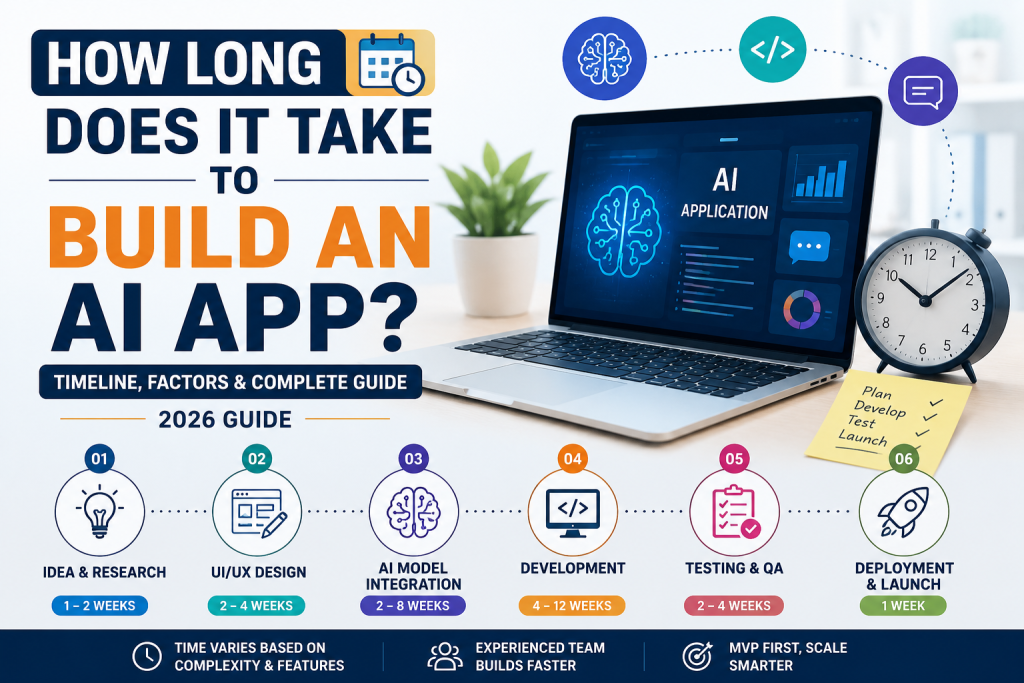
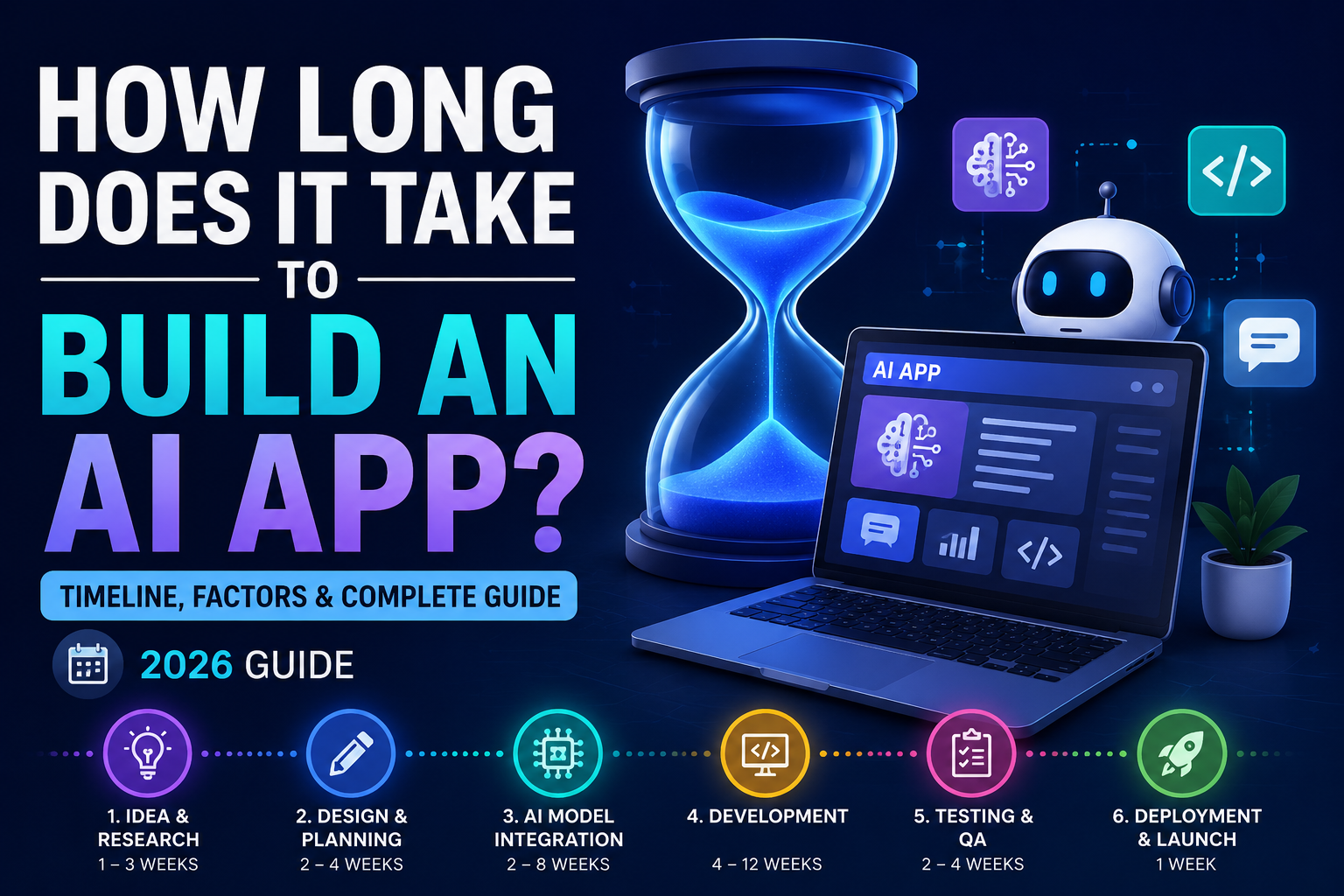
    1. Planning & Research (1–3 Weeks)

    Every successful project begins with planning. During this phase, businesses define goals, identify users, and select AI technologies.

    Tasks include:

    • Market research
    • Feature planning
    • User journey mapping
    • Technology selection

    2. UI/UX Design (2–4 Weeks)

    A clean and intuitive design improves user experience.

    Designers create:

    • Wireframes
    • User interfaces
    • Interactive prototypes
    • Mobile and desktop layouts

    3. AI Model Integration (2–8 Weeks)

    This is often the most important stage when determining How Long Does It Take to Build an AI App.

    Developers integrate AI features such as:

    • Chatbots
    • Image generation
    • Text generation
    • Voice recognition
    • Recommendation engines

    Using APIs from providers like OpenAI or Google can significantly reduce development time.


    4. App Development (4–12 Weeks)

    During development, engineers build the application’s frontend, backend, database, authentication system, and API connections.

    This phase typically requires the most time.


    5. Testing & Quality Assurance (2–4 Weeks)

    Before launch, developers thoroughly test the application.

    Testing includes:

    • Performance testing
    • Security testing
    • Bug fixing
    • AI accuracy validation
    • Cross-device compatibility

    6. Deployment & Launch (1 Week)

    After testing, the AI application is published to web servers or app stores.

    Deployment also includes:

    • Cloud hosting
    • Monitoring
    • Performance optimization
    • Analytics setup

    Average Development Time by App Type

    The answer to How Long Does It Take to Build an AI App depends largely on the type of application.

    AI App TypeEstimated Timeline
    AI Chatbot2–6 Weeks
    AI Content Generator1–2 Months
    AI Image Generator2–4 Months
    AI Business Automation Tool2–5 Months
    AI Mobile App3–6 Months
    Enterprise AI Platform6–12 Months

    Factors That Affect AI App Development Time

    Several variables influence How Long Does It Take to Build an AI App.

    App Complexity

    More advanced features require longer development.

    Custom AI Models

    Training custom machine learning models adds weeks or even months.

    Third-Party Integrations

    Connecting payment systems, CRMs, cloud storage, or AI APIs affects the timeline.

    Development Team

    Experienced AI developers can complete projects much faster than small or inexperienced teams.

    No-Code vs. Custom Development

    Using no-code platforms like Bubble or FlutterFlow can reduce development time significantly compared to building everything from scratch.


    How to Build an AI App Faster

    If you’re concerned about How Long Does It Take to Build an AI App, consider these strategies:

    • Start with a Minimum Viable Product (MVP)
    • Use AI APIs instead of training custom models
    • Choose no-code or low-code platforms
    • Prioritize essential features
    • Work with experienced developers
    • Use agile development methods
    • Continuously test during development

    These practices can shorten development timelines while maintaining quality.


    Common Mistakes That Delay AI Projects

    Many businesses extend How Long Does It Take to Build an AI App by making avoidable mistakes.

    Common issues include:

    • Poor project planning
    • Frequent feature changes
    • Underestimating testing time
    • Ignoring scalability
    • Choosing the wrong technology stack
    • Lack of user feedback

    Avoiding these mistakes helps projects stay on schedule and within budget.


    Why AI Development Is Faster in 2026

    Modern AI tools, cloud platforms, and no-code builders have dramatically reduced development time. Businesses can now integrate advanced AI capabilities without creating complex machine learning models from scratch.

    As a result, How Long Does It Take to Build an AI App is becoming a much easier question to answer, especially for startups and small businesses using AI APIs and automation platforms.


    Final Verdict

    So, How Long Does It Take to Build an AI App? The answer depends on your project’s goals and complexity. A simple AI chatbot may be completed in just a few weeks, while enterprise AI solutions can take several months.

    For most startups and small businesses, using modern AI APIs and no-code development platforms significantly reduces both cost and development time. Planning carefully, focusing on core features, and testing throughout the process will help you launch a reliable AI application faster in 2026.


    Frequently Asked Questions (FAQs)

    How long does it take to build an AI app?

    Most AI apps take anywhere from 2 weeks to 6 months, depending on complexity, features, and development approach.

    Can I build an AI app faster with no-code tools?

    Yes. Platforms like Bubble, FlutterFlow, and Glide can reduce development time significantly.

    What affects AI app development time?

    Project complexity, AI integrations, testing, custom models, third-party services, and team experience all influence the timeline.

    Is AI app development expensive?

    Costs vary depending on the project scope, but using pre-built AI APIs and no-code platforms can significantly reduce expenses compared to custom development.
  • How to Build an AI App Without Coding: Ultimate Beginner’s Guide (2026)

    How to Build an AI App Without Coding: Ultimate Beginner’s Guide (2026)

    How to Build an AI App Without Coding: Ultimate Beginner’s Guide (2026)

    How to Build an AI App Without Coding in 2026

    Artificial intelligence is no longer limited to developers and data scientists. Thanks to modern no-code platforms, anyone can create AI-powered applications without writing a single line of code. Whether you’re an entrepreneur, freelancer, student, or small business owner, learning How to Build an AI App Without Coding can help you turn ideas into real products quickly and affordably.

    In this guide, you’ll learn How to Build an AI App Without Coding using today’s most popular no-code AI platforms. We’ll cover the tools, benefits, and step-by-step process to help beginners launch their first AI application in 2026.


    What Does It Mean to Build an AI App Without Coding?

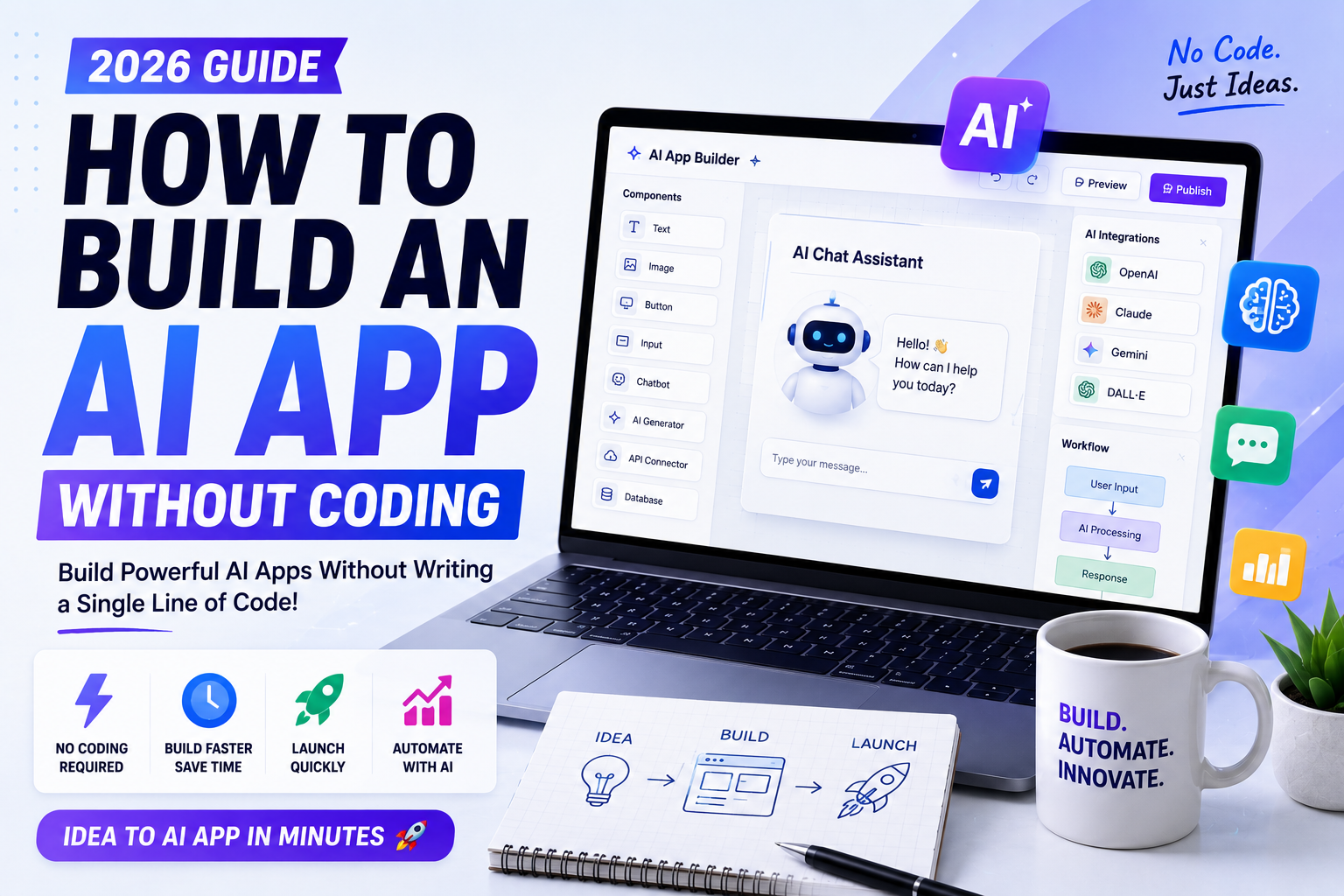
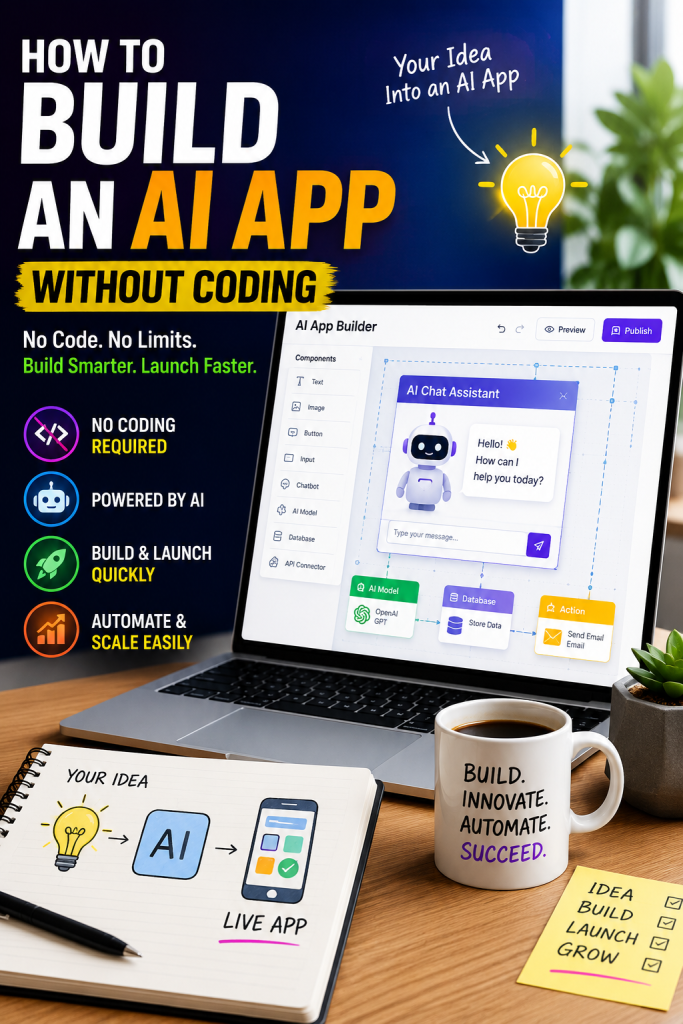
    Learning How to Build an AI App Without Coding means using visual drag-and-drop platforms that integrate artificial intelligence features such as chatbots, image generation, automation, data analysis, and workflow management. These tools eliminate the need for programming while allowing users to build powerful applications.

    Today, businesses across the United States are adopting no-code AI platforms to reduce development costs and launch products faster.


    Why No-Code AI Development Is Growing

    There are several reasons why people are learning How to Build an AI App Without Coding:

    • Faster app development
    • Lower development costs
    • No programming knowledge required
    • Easy drag-and-drop interfaces
    • AI integrations built in
    • Rapid testing and deployment
    • Perfect for startups and small businesses

    As AI technology continues to evolve, no-code platforms make innovation accessible to everyone.


    Best No-Code AI Platforms

    If you want to master How to Build an AI App Without Coding, these platforms are excellent choices.

    1. Bubble

    Bubble allows users to build complete web applications using visual workflows and AI integrations.

    Best For: SaaS products and startups.


    2. Glide

    Glide transforms spreadsheets into fully functional mobile applications using AI-powered features.

    Best For: Internal business apps.


    3. Softr

    Softr enables users to create client portals, business dashboards, and AI-powered websites without coding.

    Best For: Small businesses.


    4. Zapier AI

    Zapier AI automates workflows between thousands of applications using artificial intelligence.

    Best For: Business automation.


    5. Microsoft Power Apps

    Microsoft Power Apps allows organizations to create enterprise applications with built-in AI capabilities.

    Best For: Large businesses.


    6. FlutterFlow

    FlutterFlow makes mobile app development simple while supporting AI integrations.

    Best For: Cross-platform mobile apps.


    7. Airtable AI

    Airtable combines databases with AI automation for business management and productivity.

    Best For: Teams and project management.


    Step-by-Step: How to Build an AI App Without Coding

    If you’re wondering How to Build an AI App Without Coding, follow these simple steps.

    Step 1: Define Your App Idea

    Identify the problem your AI app will solve. Examples include customer support, content generation, scheduling, or data analysis.

    Step 2: Choose a No-Code Platform

    Select a platform that fits your project requirements, budget, and preferred features.

    Step 3: Design the User Interface

    Use drag-and-drop builders to create screens, forms, navigation, and layouts.

    Step 4: Connect AI Features

    Integrate AI services such as chatbots, image generation, speech recognition, or text generation.

    Step 5: Automate Workflows

    Build automated processes for notifications, emails, approvals, or customer interactions.

    Step 6: Test Your Application

    Check every feature before publishing to ensure a smooth user experience.

    Step 7: Publish Your AI App

    Deploy your application to the web, Android, or iOS depending on your platform.

    Following these steps makes How to Build an AI App Without Coding much easier, even for beginners.


    Benefits of Building AI Apps Without Coding

    Understanding How to Build an AI App Without Coding offers many advantages:

    • Launch products faster
    • Save thousands of dollars in development costs
    • Validate business ideas quickly
    • Build MVPs efficiently
    • Scale your application easily
    • No programming experience needed
    • Integrate AI services within minutes
    • Improve productivity

    These benefits make no-code AI development ideal for entrepreneurs and growing businesses.


    Common Mistakes to Avoid

    When learning How to Build an AI App Without Coding, avoid these common mistakes:

    • Choosing the wrong platform
    • Ignoring scalability
    • Overcomplicating your app
    • Skipping user testing
    • Forgetting security and privacy
    • Not planning future updates

    Avoiding these mistakes will help you create a more reliable AI application.


    Why Learning How to Build an AI App Without Coding Matters in 2026

    Artificial intelligence is becoming a competitive advantage for businesses of every size. Companies are launching AI-powered customer support tools, productivity apps, automation platforms, and content creation solutions faster than ever.

    Learning How to Build an AI App Without Coding gives entrepreneurs the ability to validate ideas quickly, reduce development expenses, and reach customers faster. Whether you’re building a side project or a scalable startup, no-code AI platforms offer an excellent starting point.


    Final Verdict

    Learning How to Build an AI App Without Coding has never been easier. Platforms like Bubble, Glide, Softr, Zapier AI, Microsoft Power Apps, FlutterFlow, and Airtable AI allow anyone to create AI-powered applications without technical skills.

    If you’re ready to turn your idea into reality in 2026, start with a beginner-friendly no-code platform, build a simple prototype, test it with real users, and improve it over time. The future of app development is faster, smarter, and more accessible than ever.


    Frequently Asked Questions (FAQs)

    Can I build an AI app without coding?

    Yes. Many no-code platforms allow you to build AI-powered web and mobile apps using visual editors and built-in AI integrations.

    What is the best no-code AI platform?

    Bubble, Glide, Softr, FlutterFlow, Zapier AI, Microsoft Power Apps, and Airtable AI are among the top options in 2026.

    Do I need programming experience?

    No. Most no-code AI platforms are designed for beginners and require no programming knowledge.

    Is no-code AI development suitable for businesses?

    Absolutely. Many startups and established companies use no-code AI platforms to build prototypes, automate workflows, and launch business applications quickly.